
Global Header & Navigation Redesign
Commercial Enterprise Office
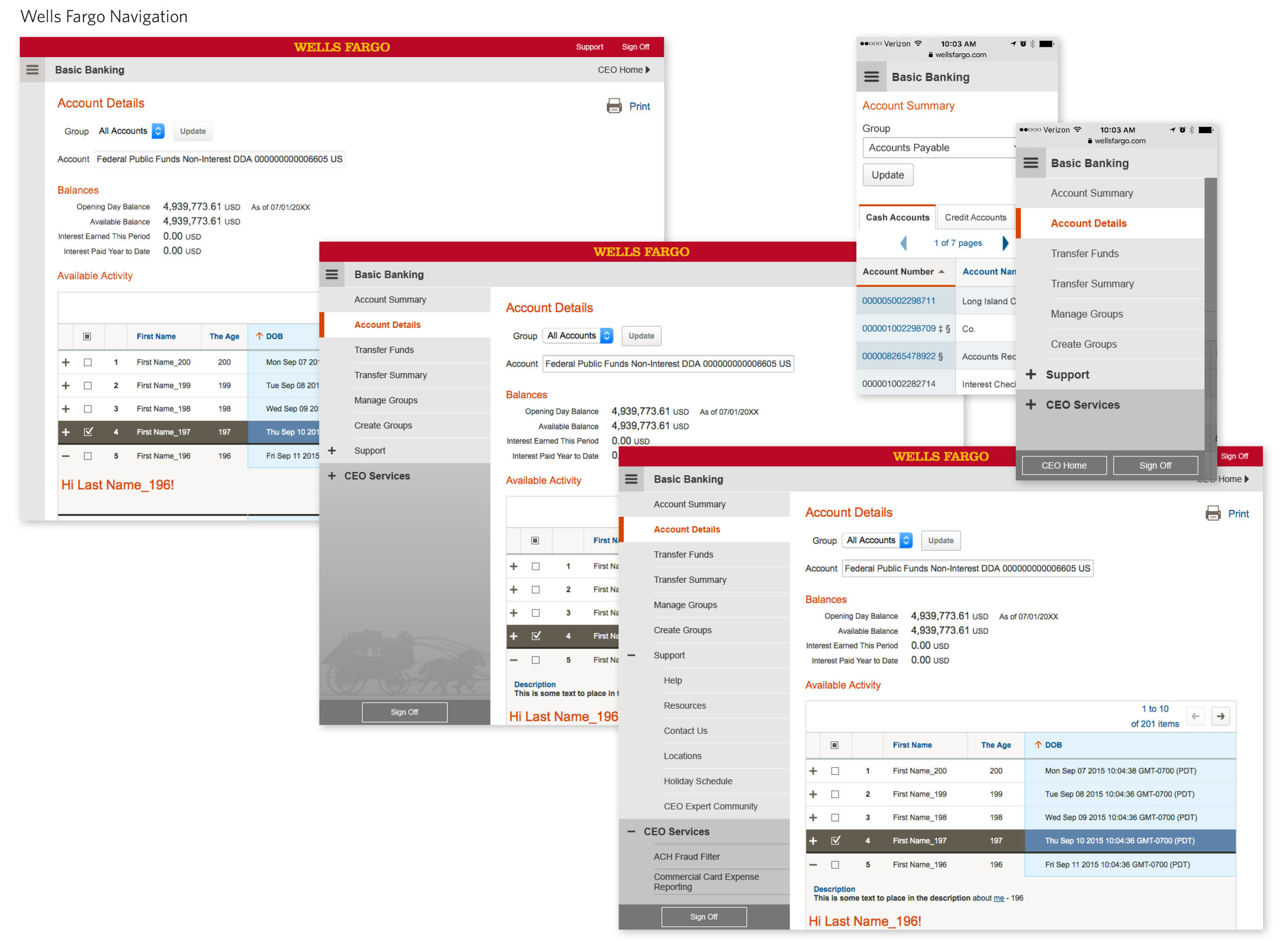
A redesign and rebuild of the header and navigation for Wells Fargo’s Commercial Enterprise Office. The need for this was two-fold. One, previously, all the applications were free-standing, with the landing page opening a new browser window, but moving forward all the applications would be under one framework and UI. And two, to bring the code into a single responsive code source.
My role as Visual Designer on this project was to create the final look and feel, improve on any interactions, and then work with the developers to get it built.
Project Details
Client Wells Fargo
Brand Commercial Enterprise Office
Tools InDesign, Sketch
Design!
The first design round is often more about getting the conversation going. By showing something, even if it’s far from perfect, questions start to get revealed. I often like to do 3 variations of a design. A more conservative version, a far out there “what if” exploration, and something in between. None of the designs are set in stone, and further design rounds can keep several in play, although after a few rounds designs tend to merge as elements from different explorations are mixed and matched.


Test!
One of the nice parts about working at Wells Fargo was having both the time to fully explore a design, as well as having a User Testing team to work with. Working closely with Testing, we did a series of tests that explored different interactions on the design, spending one hour sessions having users go through a script as we asked them to do tasks involving the navigation. The results revealed things that did effect the direction of the design.
Prototype!
Click the image to the right to view the working prototype (note, uses Flash).
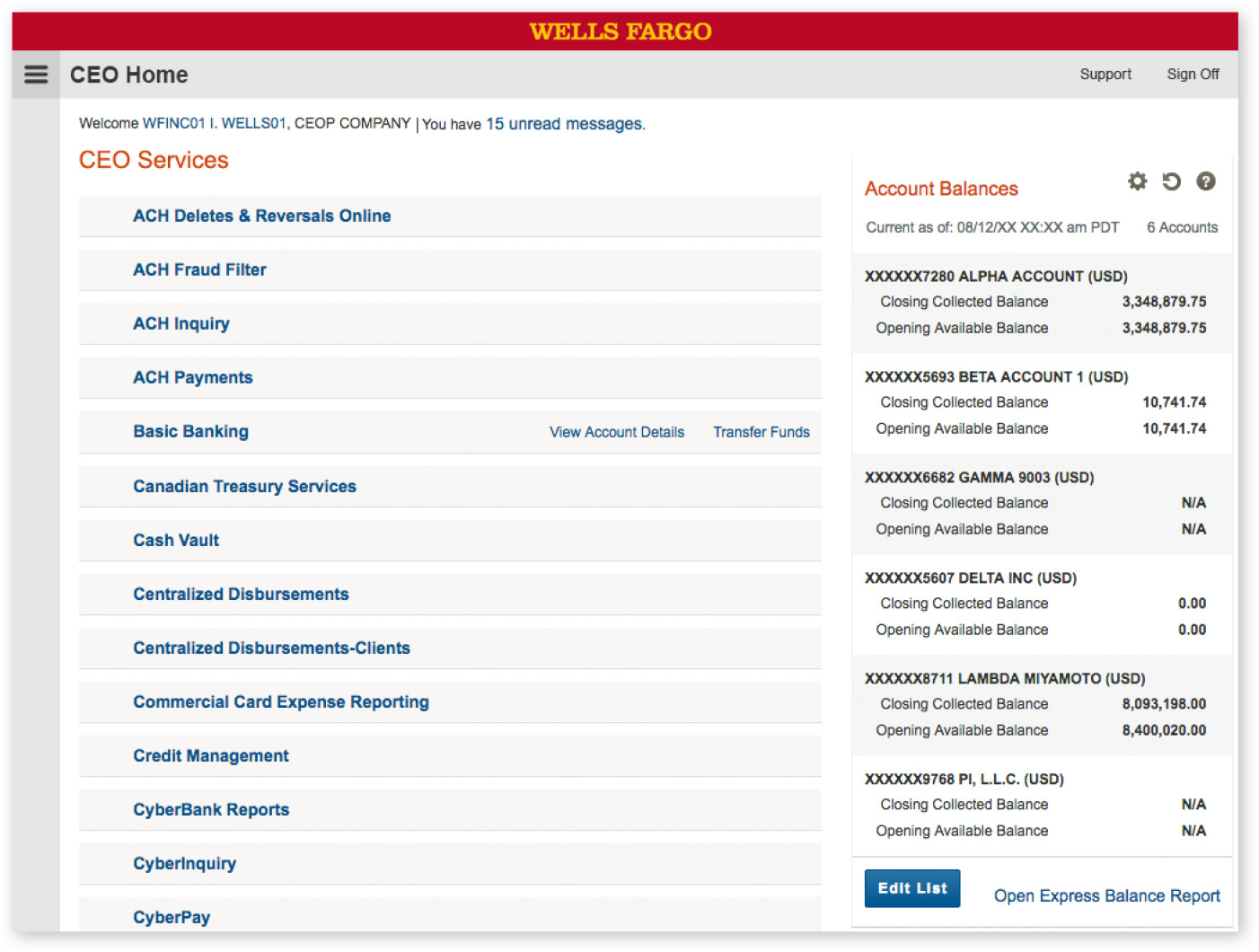
The prototype shown here was used to help convey the hover states, colors, and look and feel of the navigation to internal teams and developers. I built this in InDesign, using InDesign’s interactive tools.
Steps when viewing the prototype:
- Open the navigation
- Open CEO Services
- Navigate to Basic Banking
- Sign off or return home
Additional things to note: Hover states; On click feedback (click additional buttons for this); Colors and styles of buttons

Finalize!
Shown here is the final version in both desktop and mobile views, as well as a few variations that allows for alerts and states. In the end, it was decided that a more conservative look and feel was appropriate for such a large older conservative financial company.