
Accessible Color Palette for Data Visualizations

When we set out to make a new data visualization suite accessible to visually impaired users, the team assumed patterns would be required — small hatching or texture fills to differentiate chart segments for color-blind users. User testing proved that assumption wrong, and the result was a cleaner, more usable palette for everyone.
This project ran alongside a ground-up rebuild of Wells Fargo Commercial’s data visualizations. The design challenge: define a color palette that worked for both sighted and visually impaired users, within the existing corporate color system, with brand approval.
Project Details
Client Wells Fargo Commercial
Timeline 3 months
My Role Lead UX Designer and Brand Representative
My Contribution Defined palette candidates, coordinated external user testing with a specialist agency, finalized the accessible color system and ordering logic, and secured brand approval for the new commercial palette.
Defining the candidates
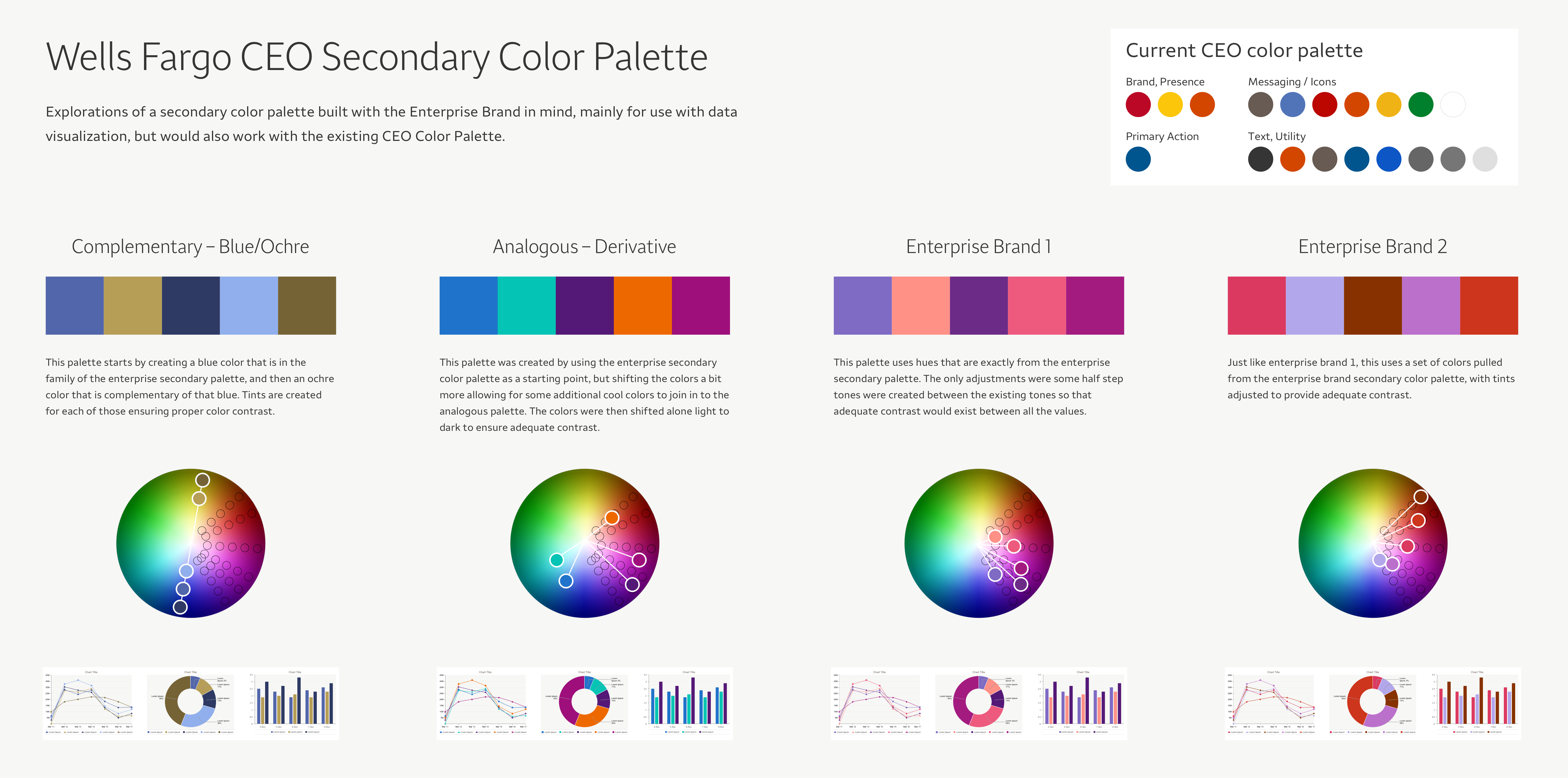
Starting from the existing Wells Fargo corporate color palette, I developed a set of candidate palettes to test. The variables I was working with: which colors, how many (we needed 5 defaults with up to 20 total), and how much contrast between adjacent values.
The assumption going into testing was that some form of patterning would be necessary — hatching or texture — to give visually impaired users a secondary differentiation signal beyond color. Testing was designed to either confirm that or find a better answer.
Testing with sighted and visually impaired users
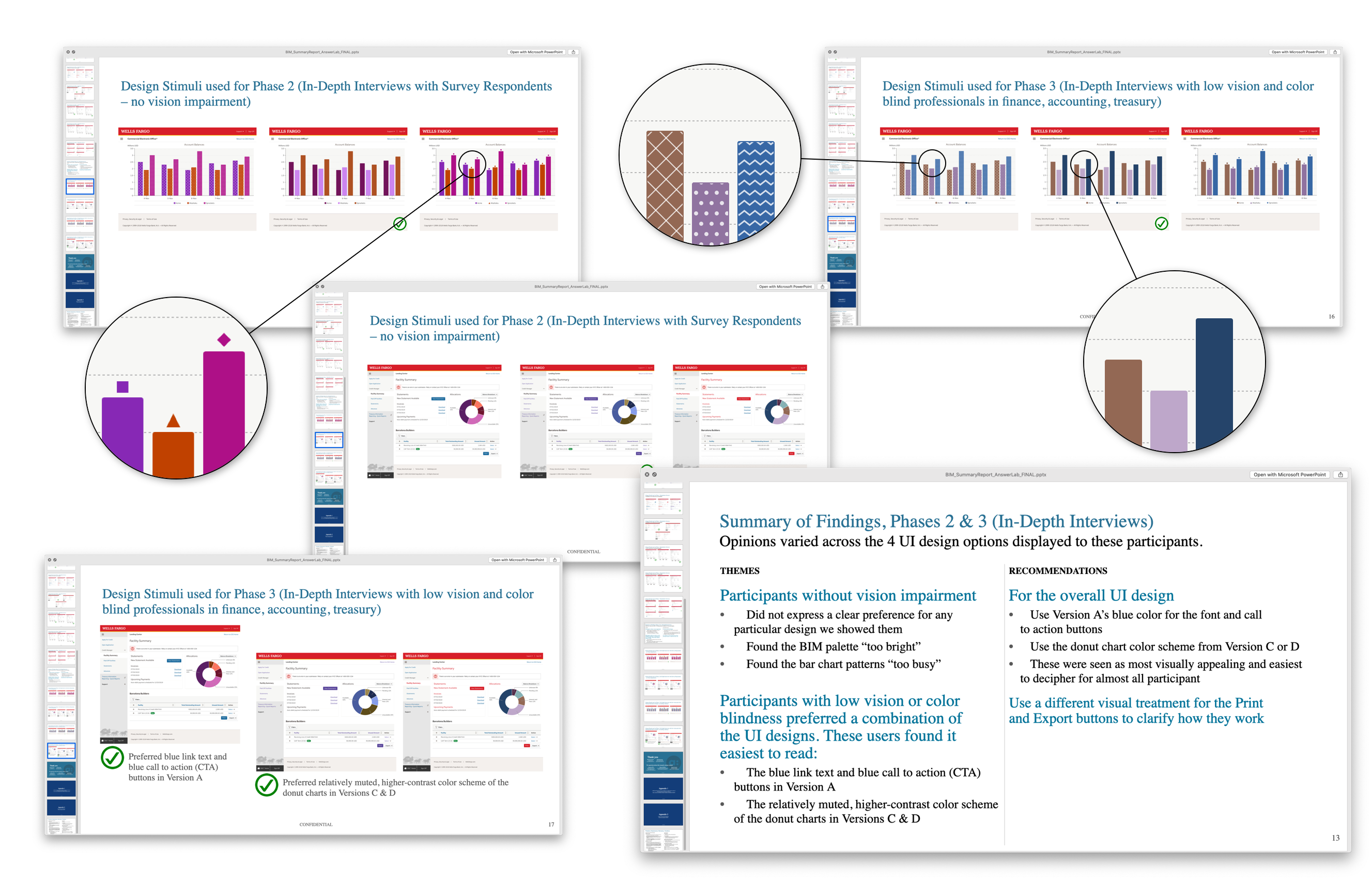
We partnered with an outside user testing agency to run a study that included participants with normal sight as well as those with color blindness and near-blindness. This was the critical variable: designing for visually impaired users without testing with them is just guessing.
We tested three things simultaneously: the color palette itself, the assumption that patterns were necessary for accessibility, and two additional concepts — one using a legend as the primary differentiator, one relying on significant contrast alone.
The finding was both surprising and clarifying. Not only did sighted users dislike the pattern approach — visually impaired users disliked it more. Patterns read as visually noisy and unprofessional across the board. The contrast-based approach was the clear preference for all participant groups.
This eliminated an entire category of design complexity and gave us a clear direction: get the contrast right, and the palette will work.
Finalizing the palette system
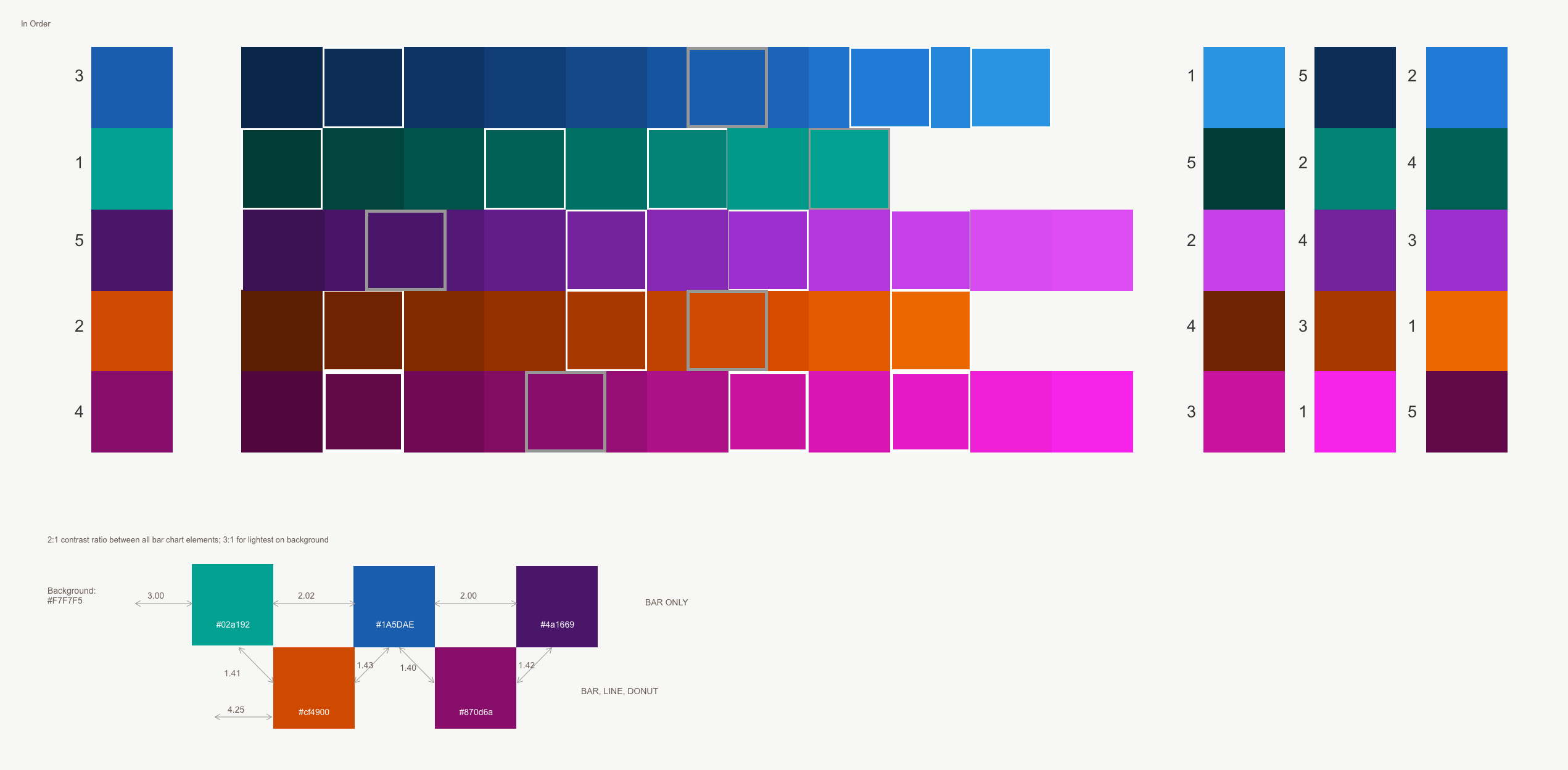
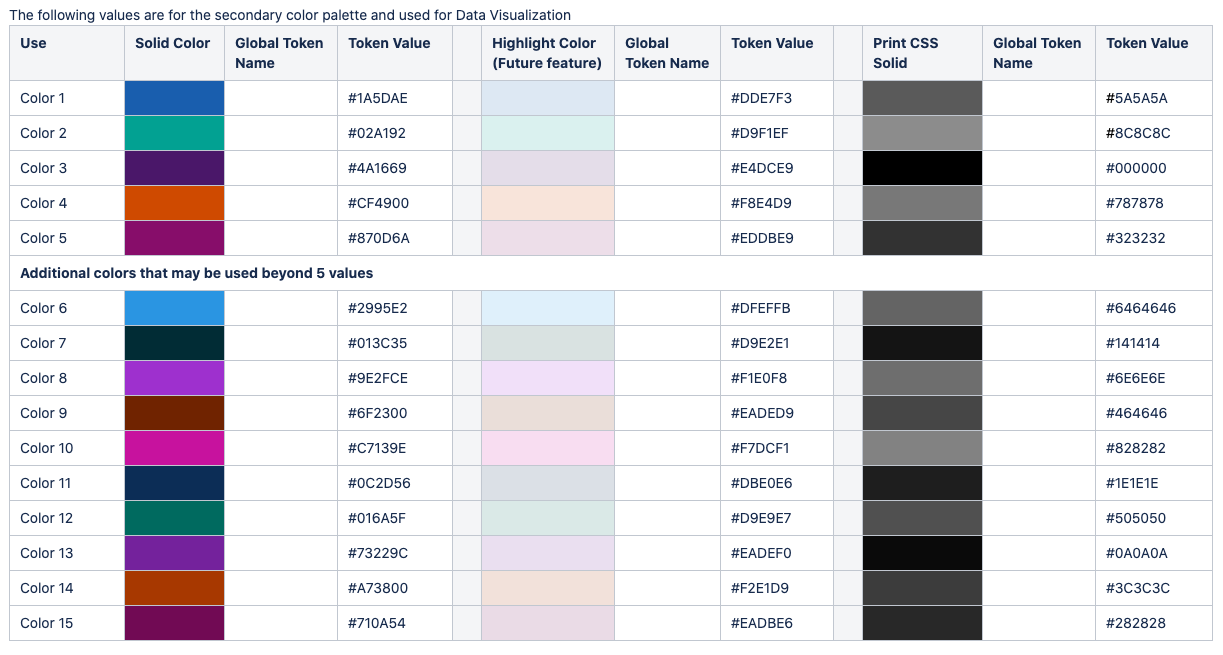
With the direction confirmed, I finalized the palette system around three constraints: a minimum 2:1 contrast ratio between adjacent colors, a fixed color ordering sequence, and coverage of 5 default colors with an expansion path to 20.
The fixed ordering was a key decision. By defining that a single-series chart always uses color 1, a two-series chart uses colors 1 and 2, and so on, we could guarantee that adjacent colors in any chart always had the maximum contrast relationship — without relying on a designer to manually select combinations each time.
I also defined an alternate print CSS set in grayscale, accounting for the reality that a significant portion of our users were printing reports without color.
The final palette was modulated from the corporate retail brand colors into a new commercial-specific system — different enough to be optimized for data visualization, close enough to clear brand review.
Conclusion
The project disproved its own starting assumption. Patterns aren’t what make data visualizations accessible — contrast is. And that finding, backed by testing with real visually impaired users, is what got the new commercial palette through brand approval.
The system shipped as the standard color palette for all Wells Fargo Commercial data visualizations. It worked equally well for sighted users, color-blind users, and near-blind users — not because we designed three separate experiences, but because we tested our assumptions before building.