
List View Framework Component Detail

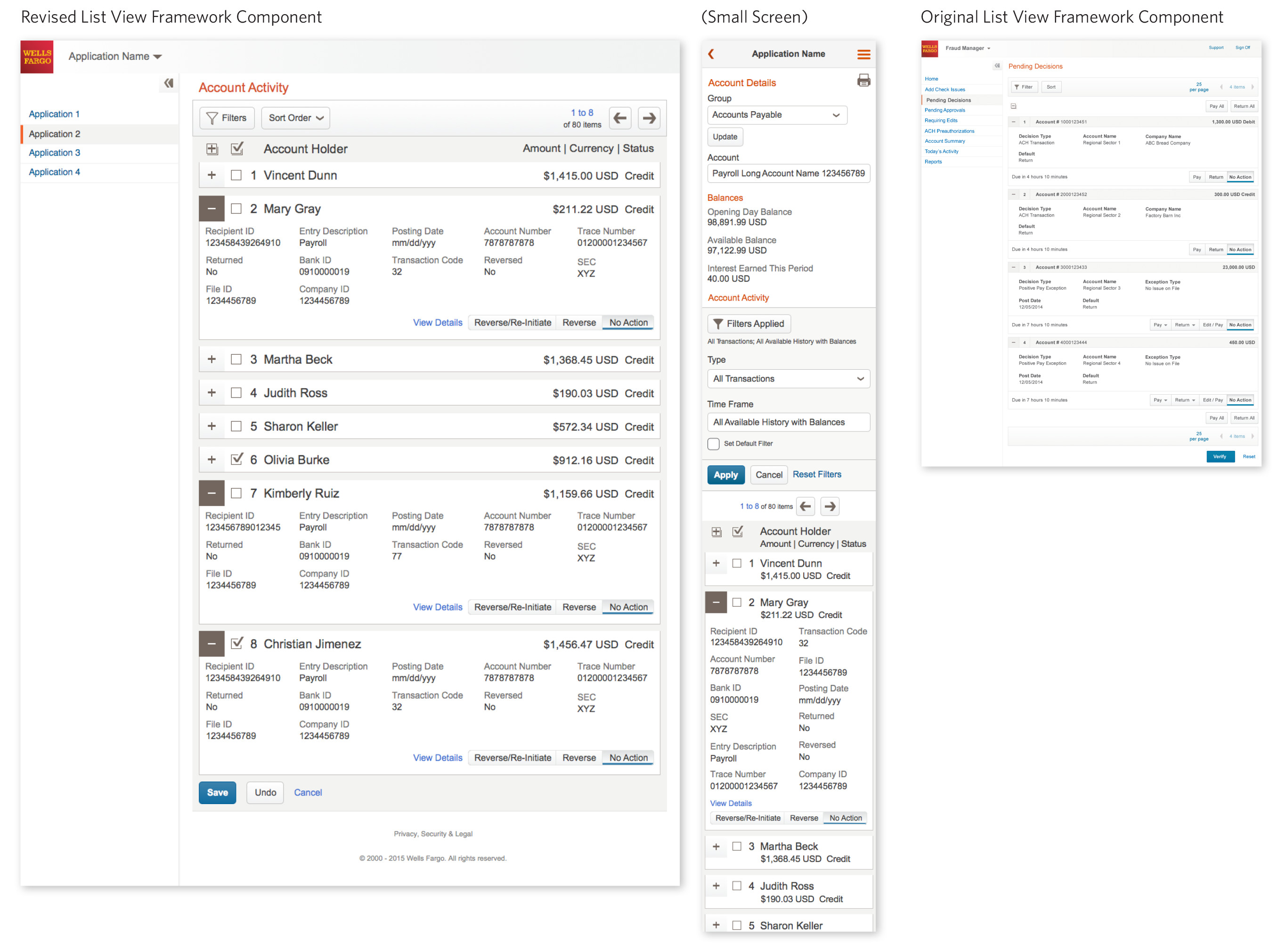
Wells Fargo List View
Product Managers and Business Partners had identified a problem with the existing list view component from User Experience reports, in that is was very difficult for users to scan the existing List View component (similar to table, but used with different sets of information appears in each item). So the goal here, was to iterate, design, test, and build a new List View.
Project Details
Client Wells Fargo
Brand Wells Fargo Commercial Enterprise Office
Tools Sketch
Iterate, iterate, iterate!
I have a few design processes that I use.
Early in the process, it’s often about flushing out questions from the stake holders… What are the problems we’re trying to solve? What is the content we need to include? What are the use cases? Who are the personas and how will they use this?
I also often create 3 variations of each round. 1 tends to be more conservative, showing the minimal changes needed to solve the problem, another is to go very far out there with exploring completely new ideas, and the third lands somewhere in between. Once testing or presenting, I do not see each variation as having to be sold as is. I’ll often mix and match different elements from different designs and iterate again, keeping the elements from the early designs that we like, and evolving the design from there.


Test, test, test!
Working with a developer, we created a working, functional prototype. Using the same content, we created a version using the new design, and the old design.
And now we test with actual users, by teaming up with the User Research department.


Build it!
What we learn from the testing gets built into the next iterations. Ideally, we’d test again, but this project didn’t have the budget for that. As we’re an Agile environment, we’ll go ahead and deliver it and then work on fixing any problems later.
So the next step is creating specifications that can be used by the Front End Developers to build the actual component. These were done in sketch, and uploaded to Confluence in our Active Component Directory along with rules written by the Interaction Designers and Accessibility partners.